Clear priorities
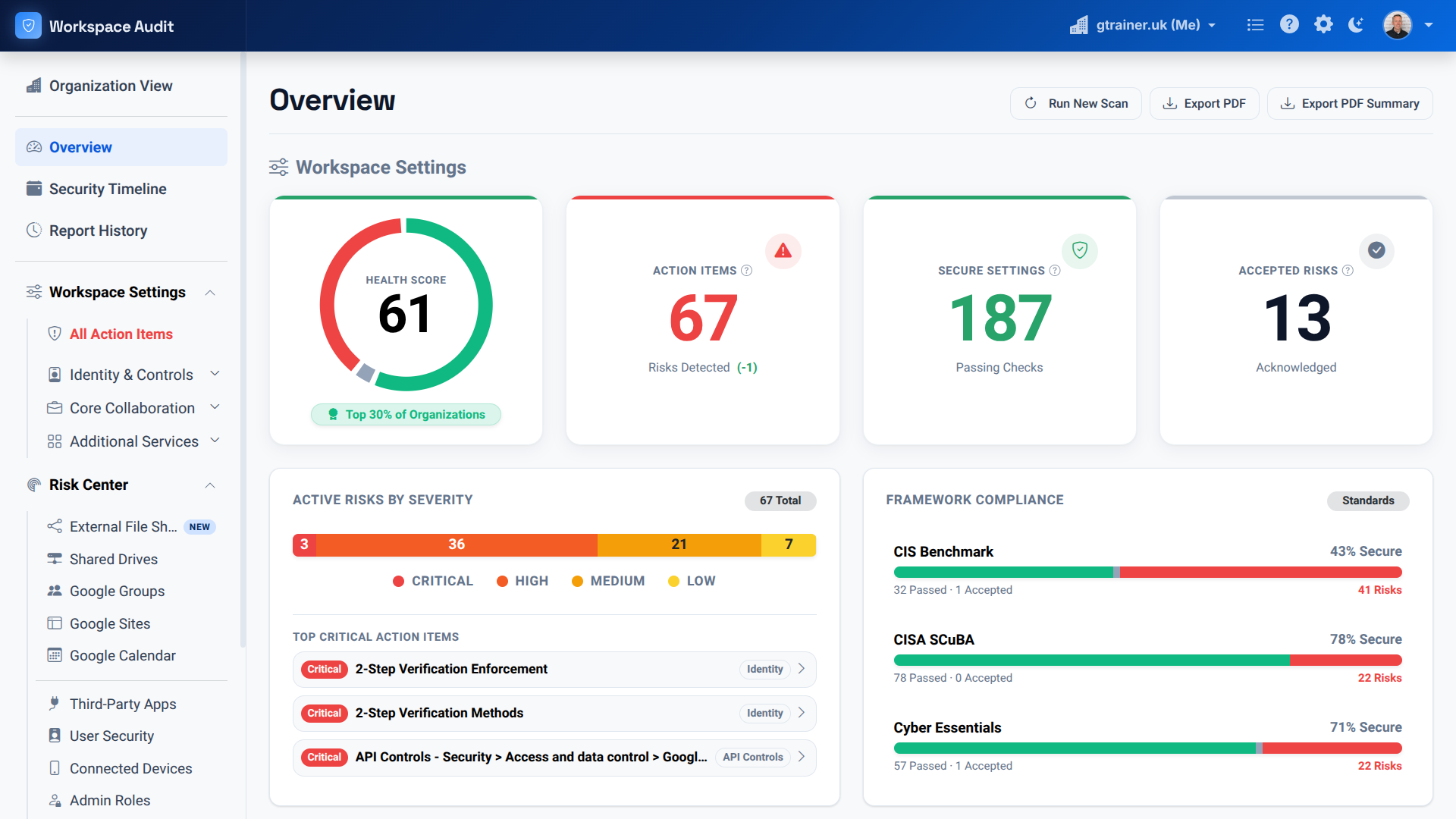
See your security posture at a glance
The overview turns hundreds of checks into a clear health score, prioritised action items and progress against CIS, CISA SCuBA and Cyber Essentials.

Our flagship product
Built by AppsEDU, Workspace Audit is an automated, read-only scanner that checks 100+ Google Workspace settings, finds shadow IT and risky sharing — and shows you step by step how to fix every finding.
Learn more at workspaceaudit.comFrom Gmail and Drive sharing to ChromeOS device policies, Workspace Audit reviews over a hundred configuration points across your tenant.
The scanner never changes a setting. It reads your configuration, ranks every finding by risk, and shows you the exact steps to fix each one.
See every third-party app connected via OAuth — the AI tools, PDF converters and games staff and students have granted access to school data.
Years of group sprawl and forgotten shared drives surface as concrete findings: external members, public groups and research data shared too widely.
Settings drift. Workspace Audit keeps watching and alerts you when a configuration moves away from your approved baseline.
Map your configuration to CIS benchmarks, CISA SCuBA guidance and Cyber Essentials, with evidence you can hand to leadership or inspectors.
Inside Workspace Audit
From a leadership-ready overview to the settings behind every finding, Workspace Audit makes complex risks easier to understand and act on.
Clear priorities
The overview turns hundreds of checks into a clear health score, prioritised action items and progress against CIS, CISA SCuBA and Cyber Essentials.
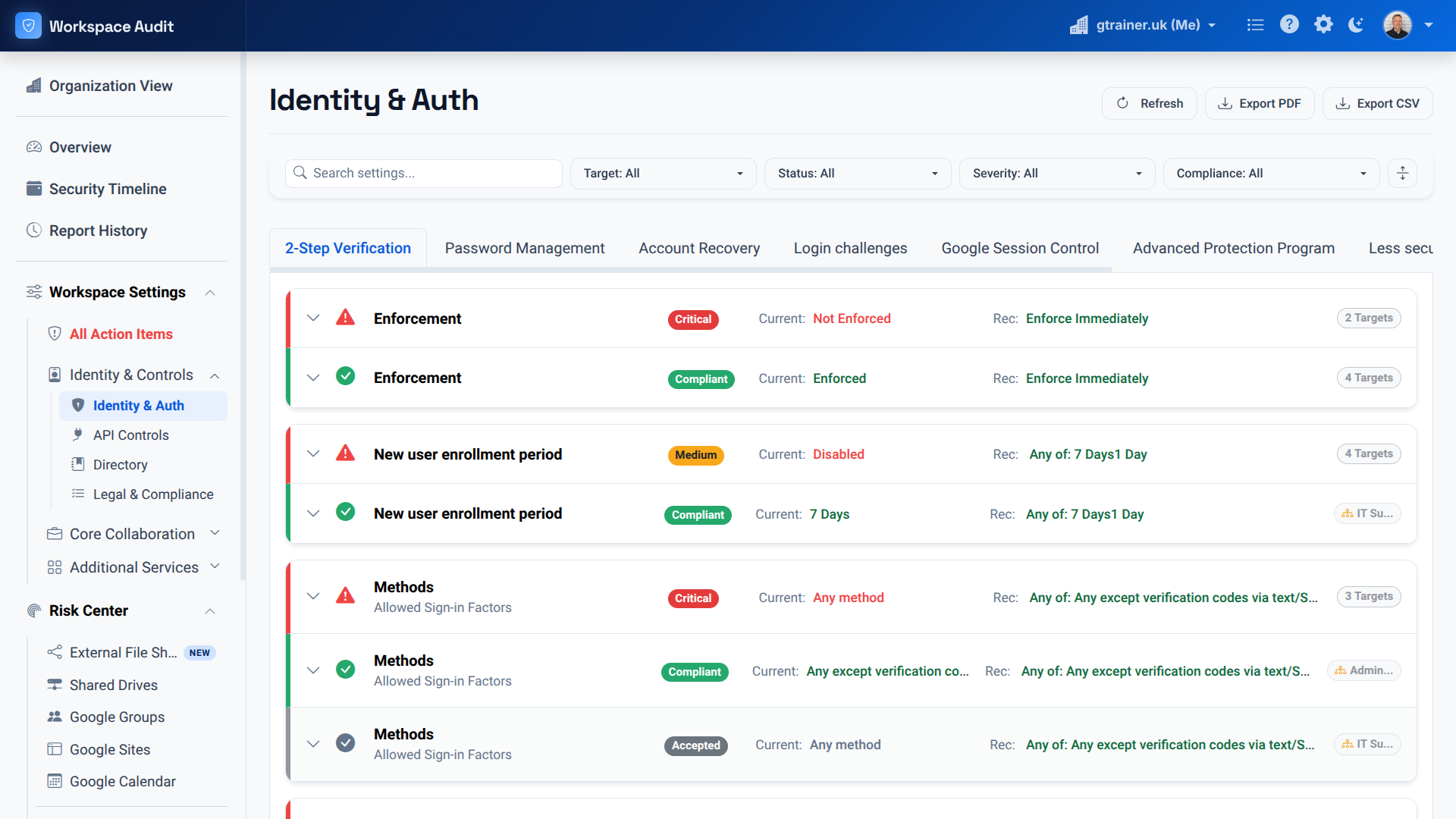
Detailed guidance
Drill into every setting to compare its current state with the recommended configuration, filter by severity and export a report for your team.
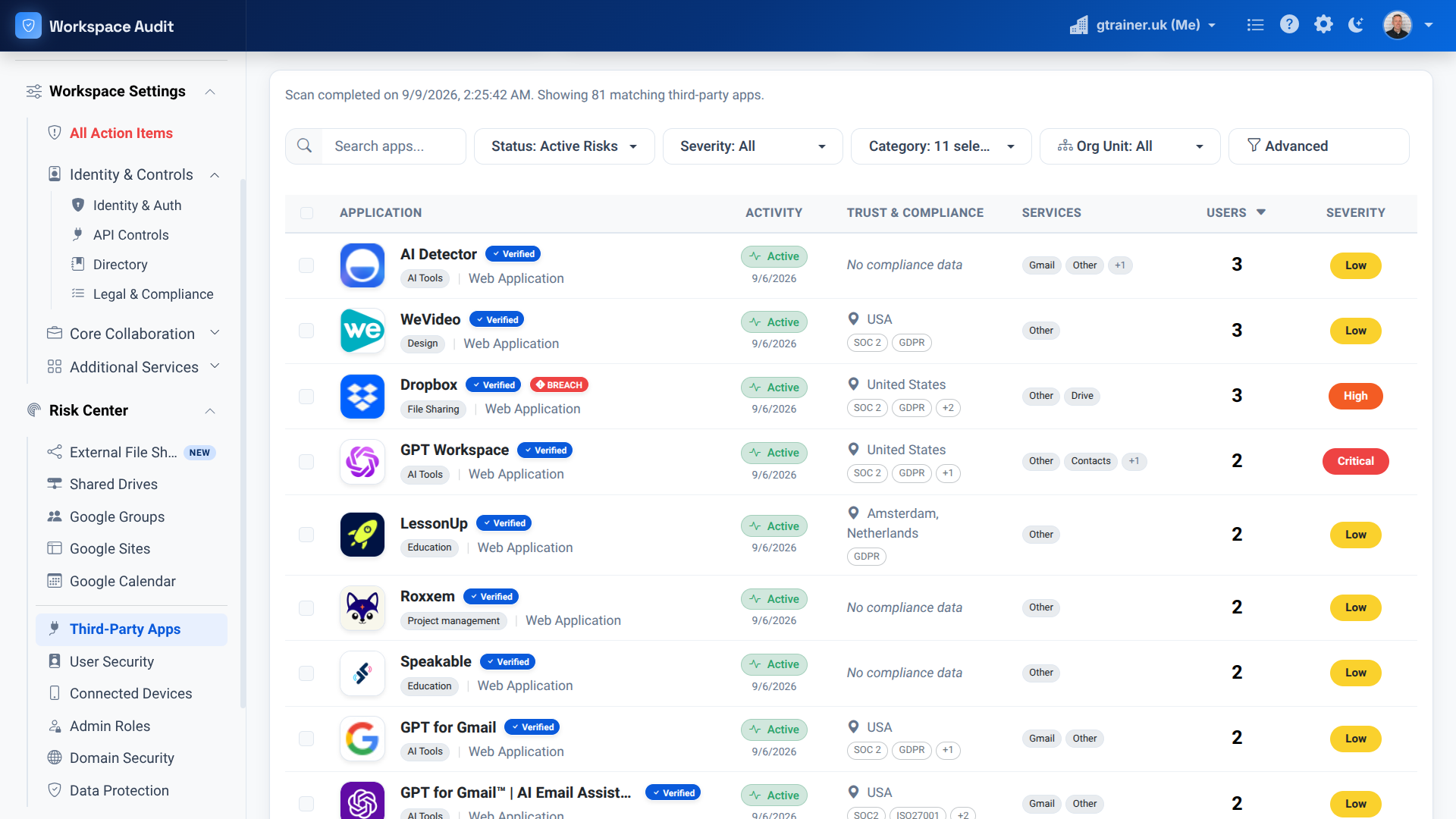
Shadow IT discovery
Identify third-party services used across your domain, including AI tools and file-sharing apps, then review activity, trust signals, users and risk severity.
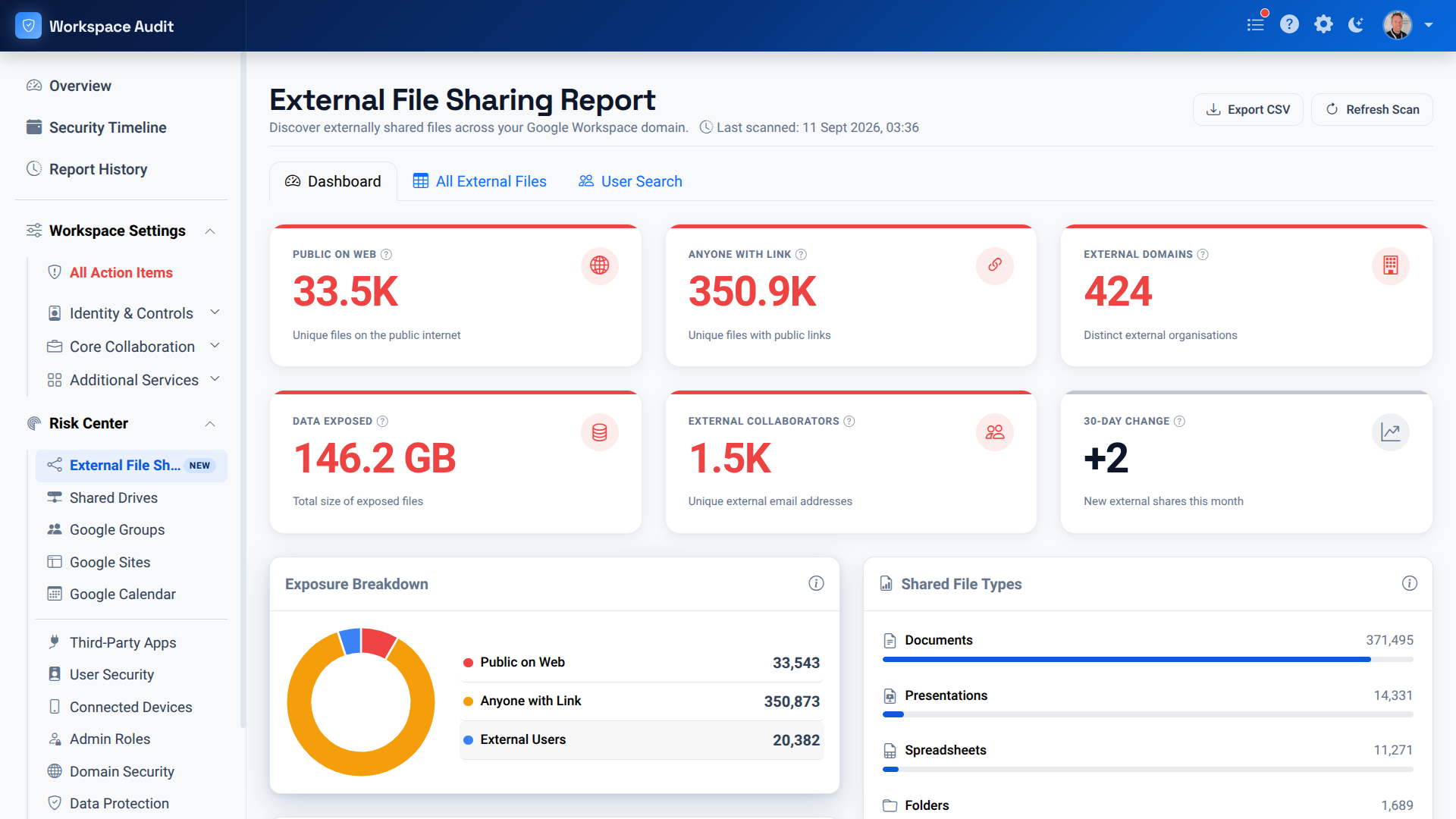
External sharing
See public links, external collaborators, exposed data and sharing trends in one place, with the detail needed to focus remediation where it matters most.
Why schools choose it
Generic security tools don't understand schools. Workspace Audit does — because we build it alongside the schools we support.
Sign-up, scanning and detailed results live on the Workspace Audit website. It takes minutes to connect and your first report is free.
Learn more at workspaceaudit.comOur team can run Workspace Audit alongside you and turn the findings into a prioritised action plan.